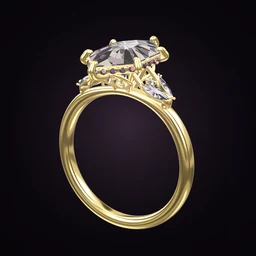
 Ring Studio
 vs Jewellery CAD Software: An Honest Comparison
Ring Studio vs jewellery CAD software is not really a head-to-head: CAD tools such as Rhino with MatrixGold or Blender build precise, manufacturing-ready models and take months to learn, while Ring Studio is a phone and tablet app for designing a ring visually in minutes, with AI, to share with a partner or jeweller. Many rings will involve both.
On this page
- Jewellery CAD
- Precise, manufacturing-ready models for casting and 3D printing; steep learning curve; professional licences can be costly
- Ring Studio
- Visual ring design on phone or tablet in minutes; AI from words, photos or video; free to start
- Exports for manufacture
- CAD: yes. Ring Studio: no (no STL export)
- Best together
- Design the idea in Ring Studio; a jeweller builds the production model in CAD
Ring Studio vs jewellery CAD at a glance
| Ring Studio | Jewellery CAD (e.g. Rhino + MatrixGold, Blender) | |
|---|---|---|
| Main purpose | Visual design, inspiration and communication | Precise modelling for manufacture and rendering |
| Who it is for | Couples, ring buyers, jewellers in consultations | CAD designers, bench jewellers, students of jewellery design |
| Learning curve | Minutes; tap and pick options, or describe in words | Steep; weeks to months to become productive |
| Devices | iPhone, iPad, Android | Desktop or laptop computers |
| Design freedom | Large library of parts: 28 shapes, settings, halos, bands, side stones | Essentially unlimited geometry |
| AI | Builds a ring from a description, photo or video | Varies; generally manual modelling |
| Output | Ring codes, screenshots, try-on | STL, 3DM and other files for 3D printing and casting |
| Manufacturing accuracy | Not intended for manufacture | Built for tolerances, wall thickness, stone seats |
| Cost | Free to start; optional Pro subscription | Professional licences can be costly; Blender is free but needs add-ons and skill |
What jewellery CAD does that Ring Studio doesn't
Jewellery CAD exists to make physical rings. A CAD designer builds a model with exact dimensions: shank thickness, prong diameter, stone seat depth, gallery clearances, metal weight. The file goes to a 3D printer for a wax or resin model, which is cast in metal, then set and polished. Our guide to how custom rings are made explains each step.
Professional tools such as Rhino with the MatrixGold plug-in include jewellery-specific builders for heads, shanks, pavé layouts and gem libraries. General tools like Blender can model and render beautifully and cost nothing to download, but jewellery manufacture needs careful technique and often add-ons. In every case the reward is total freedom: if you can imagine it and it can be cast, CAD can model it.
That freedom has a price. Learning professional jewellery CAD properly is a serious undertaking, and the software licences for the dedicated packages can be a significant investment. Producing models that cast cleanly and hold stones securely also needs real bench knowledge. It is a professional skill, which is why most people pay a designer: see jewellery CAD design fees.
What Ring Studio does that CAD isn't designed for
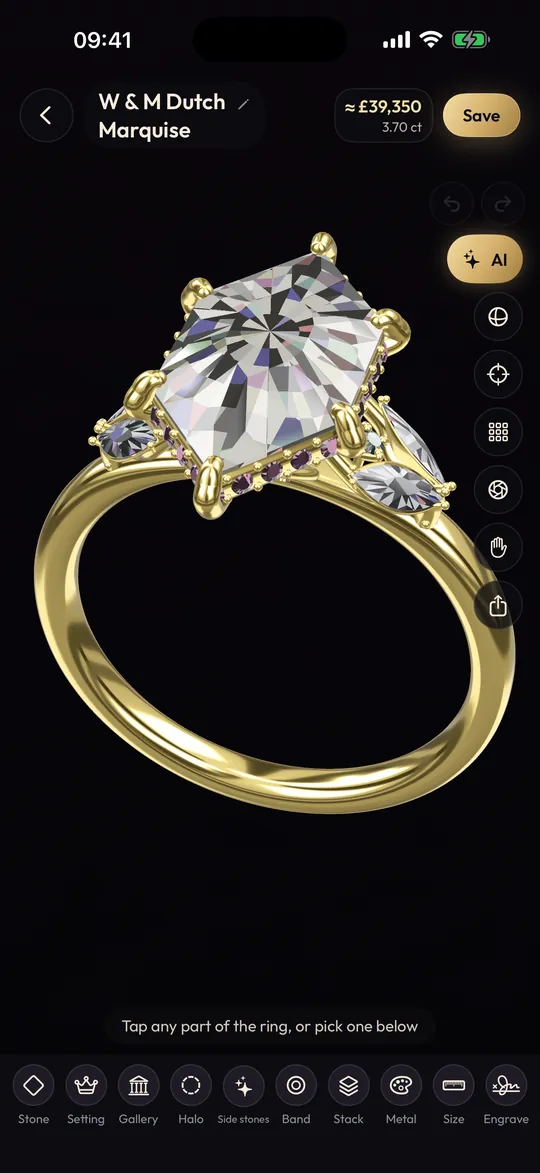
Ring Studio solves a different problem: getting the idea out of your head and in front of someone else, quickly and accurately. It is a real-time 3D ring designer for phone and tablet where every part is a choice rather than geometry to model:
- Speed: build a complete ring in minutes by picking shape, carat, setting, halo, gallery, side stones, band and metal.
- AI: describe a ring in words, or show the AI ring designer a photo or video, and it builds a 3D version you can keep editing by chatting.
- Context: try the ring on your own hand with the camera, scan your hand to estimate size, and stack a wedding band with the engagement ring.
- Price awareness: a live estimate updates as you change stone, carat and metal (an estimate for comparison, not a quote).
- Sharing: send a ring code to a partner or jeweller and they open the exact design.
What it doesn't do: model arbitrary geometry, set precise manufacturing dimensions, or export STL or 3DM files. It also doesn't yet have dedicated options for some styles, such as tension settings, split shanks or cathedral shoulders, which a CAD designer can build freely.
Who should use which?
Use jewellery CAD if you make rings or plan to, you are studying jewellery design, you need production files for 3D printing and casting, or your design goes beyond any library of parts.
Use Ring Studio if you are choosing or designing a ring to have made, you want to show a jeweller exactly what you mean, you want to explore styles and price trade-offs without learning software, or you are a jeweller who wants a fast visual tool for client consultations (see Ring Studio for jewellers).
How they work together
For many custom rings, the best path uses both:
- The buyer designs the ring in Ring Studio, trying shapes, settings and metals on their own hand.
- They share the ring code and screenshots with a jeweller (code sharing is part of Pro).
- The jeweller recreates the design in their CAD software, adjusting proportions for strength and the actual stone.
- The buyer approves renders or a printed prototype, and the ring is cast and set.
This cuts down the back-and-forth that happens when a client's brief is a handful of photos of different rings. For more on that conversation, see working with a jeweller and our ring CAD designer page.
Try the Ring Studio side of the workflow
Ring Studio is free to download on iPhone, iPad and Android. The core designer, 12 stone shapes and the main settings and bands are free, with three free AI text tries. Ring Studio Pro unlocks unlimited AI design from text, photos and video, all 28 shapes, try-on, wedding band stacks and ring code sharing.
A fair summary of the trade-offs
| If you need... | Better fit |
|---|---|
| A file to 3D print and cast | Jewellery CAD |
| A ring idea in 3D in five minutes | Ring Studio |
| Unusual, freeform geometry | Jewellery CAD |
| To recreate a ring from a photo for discussion | Ring Studio |
| Exact stone seats, tolerances and metal weight | Jewellery CAD |
| To try the design on your own hand | Ring Studio |
Verdict
Jewellery CAD is the right tool for making rings: precise, flexible and manufacturing-ready, but slow to learn and costly at the professional end. Ring Studio is the right tool for deciding what ring to make: fast, visual, AI-assisted and easy to share, but not a production tool. If you are buying or commissioning a ring, start in Ring Studio and let your jeweller handle the CAD.
Frequently asked questions
Can Ring Studio replace jewellery CAD?
No. Ring Studio doesn't export STL or 3DM files and isn't built for manufacturing tolerances. It is for designing and communicating the look of a ring. A jeweller recreates the design in their own CAD software to make it.
What CAD software do jewellers use?
Common choices include Rhino with jewellery plug-ins such as MatrixGold, other dedicated jewellery CAD packages, and general 3D tools like Blender for modelling and rendering. Many workshops combine a CAD package with 3D printing for wax or resin models.
Is jewellery CAD hard to learn?
Professional jewellery CAD has a steep learning curve. Becoming productive usually takes structured training and plenty of practice, and producing models that cast and set reliably also requires knowledge of metalwork and stone setting.
Do I need CAD to design my own engagement ring?
No. Most people who design their own ring describe or show the design to a jeweller, who handles the CAD. A visual tool like Ring Studio helps you get the idea precise before that conversation.
Can jewellers use Ring Studio?
Yes, as a consultation and sales tool: sketching ideas with a client in 3D, recreating a ring from a photo, showing price trade-offs and sending ring codes. The production model still comes from their CAD software.