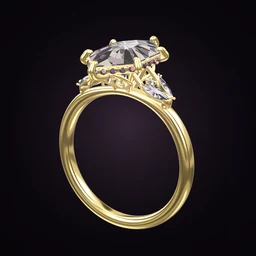
 Ring Studio
Ring designer
Design a Ring From a Photo
To design a ring from a photo, show Ring Studio's AI a picture or short video of the ring and it recreates the design in 3D. From there you can change anything: a bigger stone, a different metal, a thinner band.
On this page
- Input
- A photo or video of a ring
- Output
- An editable 3D recreation
- Plan
- Ring Studio Pro
- Best for
- Inspiration photos, inherited rings, matching a band to a ring you own
Four reasons to start a design from a photo
Most ring ideas start with an image. Turning that image into something you can edit removes the hardest part of designing: describing what you like.
- "I love this, but…" You found a ring online that's nearly perfect but you'd prefer yellow gold, or the stone is too big. Recreate it, then change just that.
- An inherited ring. Photograph a family ring and explore a redesign before you commit to resetting the stone. Our guide to redesigning an old or inherited ring covers what's possible.
- Matching a wedding band. Recreate the engagement ring you already own, then stack a band against it (Pro) to see which contour sits flush.
- A hint from a partner. They've screenshotted a ring they like. Turn the screenshot into a 3D design you can take to a jeweller.
How to recreate a ring from a photo in Ring Studio
- Get a good image. Natural light, ring in focus, filling most of the frame. If it's a ring you own, take a short video rotating it slowly.
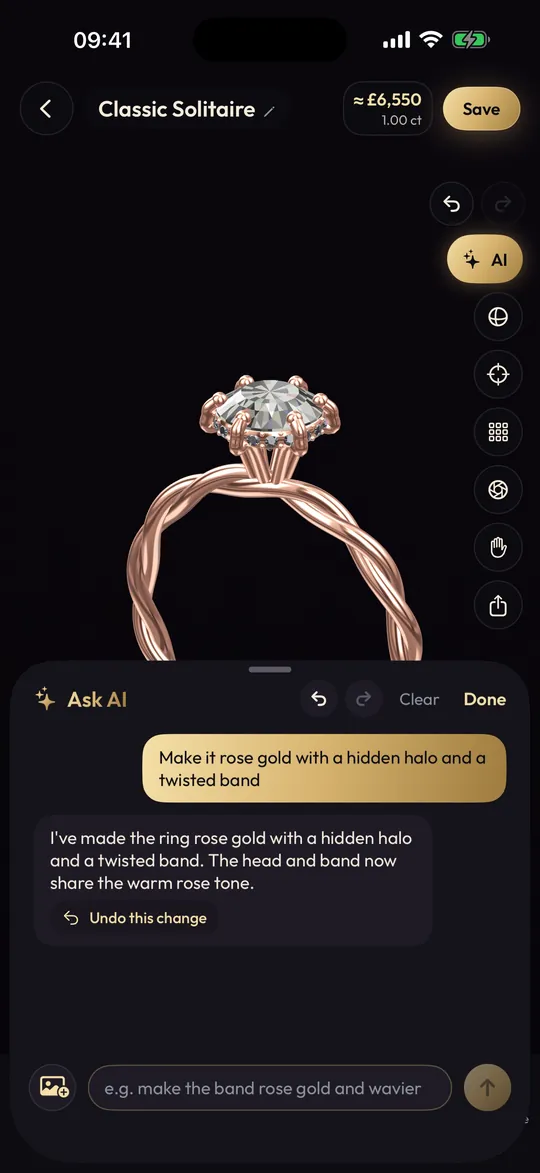
- Open the AI and add the photo or video. You can add a few words too, such as "the stone is a lab diamond" or "the metal is platinum", to settle anything the picture can't show.
- Let it build. In seconds you'll have a 3D ring. Rotate it and compare it with the photo.
- Correct by chat. "The band is thinner than that", "there are six prongs, not four", "add a hidden halo".
- Make it yours. Change the metal, carat, band or add hidden initials. Save versions as you go.
What a photo can and can't tell the AI
| Usually clear from a photo | Often hidden or ambiguous |
|---|---|
| Stone shape and rough proportions | Exact carat weight |
| Prong count and halo | Whether a hidden halo is there (needs a side view) |
| Band style: plain, pavé, twisted | Gallery design under the stone |
| Metal colour, roughly | White gold vs platinum; karat |
| Side stones | Stone type: diamond vs moissanite vs white sapphire |
Lighting changes how metal looks, so a white gold ring photographed in warm light can read as pale yellow. If something is wrong, just say so in the chat. Professional product photos taken from above also hide the side profile; if you can find a side shot, add it.
Limits to know about
- The AI can only build with Ring Studio's options. Rings with a tension setting, split shank, cathedral shoulders, cluster heads or very unusual hand-carved details will come out as the nearest equivalent. Our vintage engagement rings guide has more on period details you may need to describe to a jeweller.
- It reads the design, not the stone quality. Grading needs a gemmologist and a certificate.
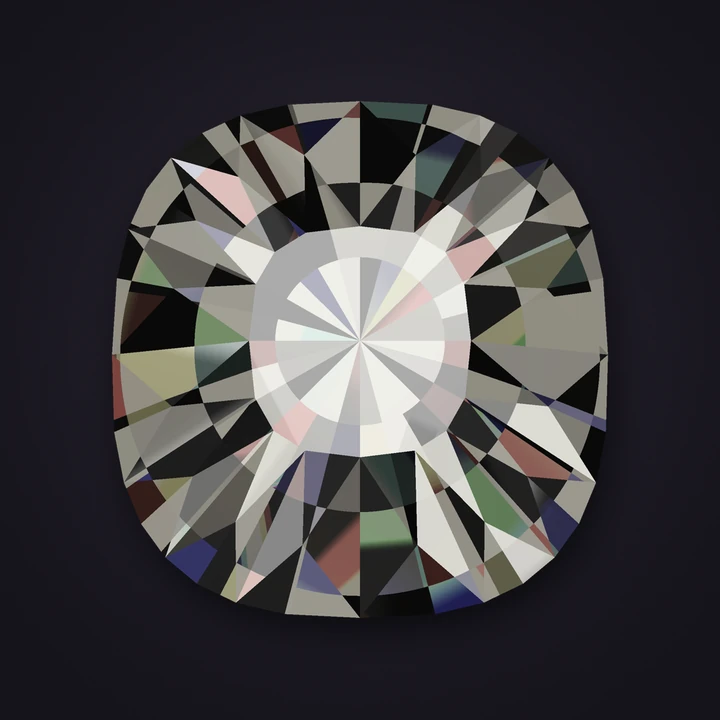
- Old cuts are supported as shapes: old mine, old European and rose cut are among the 28 shapes, which helps with antique rings. See old mine cut rings.
Recreating antique and vintage rings from photos
Old rings are one of the best reasons to use the photo feature, because the cuts and details are hard to describe in words. A few things help the AI, and you, get closer:
- Identify the cut. A chunky, softly square stone with a small table and visible facets is often an old mine cut; a rounder version is an old European cut. Both are among Ring Studio's 28 shapes, as is the flat-bottomed rose cut.
- Look at the shoulders and band. Engraved patterns suggest the engraved vintage band style; geometric stepped stones beside the centre suggest baguettes, typical of art deco rings.
- Photograph the side. Older rings often have decorative galleries; compare yours with our gallery styles guide and pick the nearest.
Expect to make a few corrections by chat. Fine milgrain edges and hand-pierced filigree don't have dedicated options, so note them for your jeweller.
Copying designs: be fair to designers
Recreating a ring for inspiration is normal, and jewellers see reference photos daily. If the ring is a recognisable piece from an independent designer, it's good practice, and sometimes a legal point, to make it your own rather than order a replica. Changing the band, the gallery or the metal is usually enough to create something distinct. Your jeweller can advise.
Taking a recreated ring to a jeweller
Bring both the original photo and your edited 3D design, so the jeweller sees where you started and what you changed. Share screenshots or a ring code (Pro). They'll model it in CAD, which is when exact dimensions get set. The guide to working with a jeweller explains what happens next.
Frequently asked questions
Can AI recreate a ring from a photo?
Ring Studio's AI can study a photo or video of a ring and rebuild it in 3D using the app's design options. It captures the overall design, such as stone shape, setting, halo and band, which you then fine-tune.
What kind of photo works best?
A sharp, well-lit photo where the ring fills most of the frame, ideally at a three-quarter angle so both the top and the side are visible. A short video turning the ring gives the AI even more to work with.
Is recreating a ring from a photo legal?
Using a photo for personal inspiration is common practice. Some jewellers protect original designs, so if you want an exact copy of a branded or designer piece, check with your jeweller, who will usually suggest changes to make it your own.
Is the photo feature free?
Photo and video design is part of Ring Studio Pro, along with unlimited AI design. Free users get 3 AI text tries.
Can I photograph my grandmother's ring and redesign it?
Yes, that's one of the best uses. Recreate it from a photo, then try changes such as a new band or setting while keeping the original stone shape, and take the design to a jeweller to reset the stone.
Keep reading
 Stone shapesOld Mine Cut Engagement RingsOld mine cut engagement ring guide: history, spotting a true antique, sizes, colour and clarity expectations, antique vs…GuidesHow to Work With a Jeweller on a Custom RingHow to work with a jeweller on a custom ring: finding the right maker, writing a clear brief, questions to ask, approvin…Settings & stylesParts of a Ring: Ring Anatomy ExplainedThe parts of a ring explained: head, prongs, gallery, basket, bridge, shoulders, shank, halo, under-bezel and more, so y…