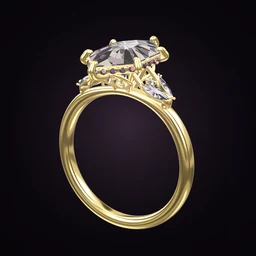
 Ring Studio
Ring designer
Jewelry Design App for Rings
Ring Studio is a jewelry design app built for one thing: rings. It's used by couples planning an engagement, hobbyists who love designing, and jewelers who want a visual way to agree a design with clients.
On this page
- Designs
- Engagement rings, wedding bands, ring stacks
- Doesn't design
- Necklaces, earrings, bracelets
- Devices
- iPhone, iPad, Android
- Price
- Free to download; optional Pro subscription
A jewelry design app that only does rings, on purpose
General jewelry apps try to cover every type of piece and end up shallow on each. Ring Studio goes deep on rings instead: 28 stone shapes, multiple setting types and prong tips, halos, galleries, side stones, eight band styles, and band contours for stacking. If you're looking to design pendants or earrings, this isn't the right tool. If it's a ring, it probably is.
Who uses it, and how
Couples planning an engagement or wedding
The biggest group. Couples use the app to figure out what they like, compare stone shapes and metals side by side, estimate cost, and try the ring on a hand. When they're ready, they take screenshots or a ring code to a jeweler. Typical flow:
- Try a few options with Surprise me or the style quiz.
- Build two or three candidates and compare.
- Check the price estimate and adjust carat or stone type. In the US, many couples compare lab-grown diamonds with natural at this stage.
- Stack the wedding band (Pro) and try the set on (Pro).
- Share with a jeweler.
Hobbyists and design fans
Some people simply enjoy designing rings. The AI is a fast idea machine: describe something unusual ("hexagon green emerald, compass set, rose gold, twisted band") and see it in seconds, then tweak by hand. It's also a good way to learn the vocabulary; pair it with our ring design glossary.
Jewelers showing clients
For jewelers, it's a consultation tool rather than a replacement for CAD. A client can design at home and send a ring code, or build the ring with you on an iPad at the counter. You then model it in your usual CAD software. Details are on our ring designer for jewelers page.
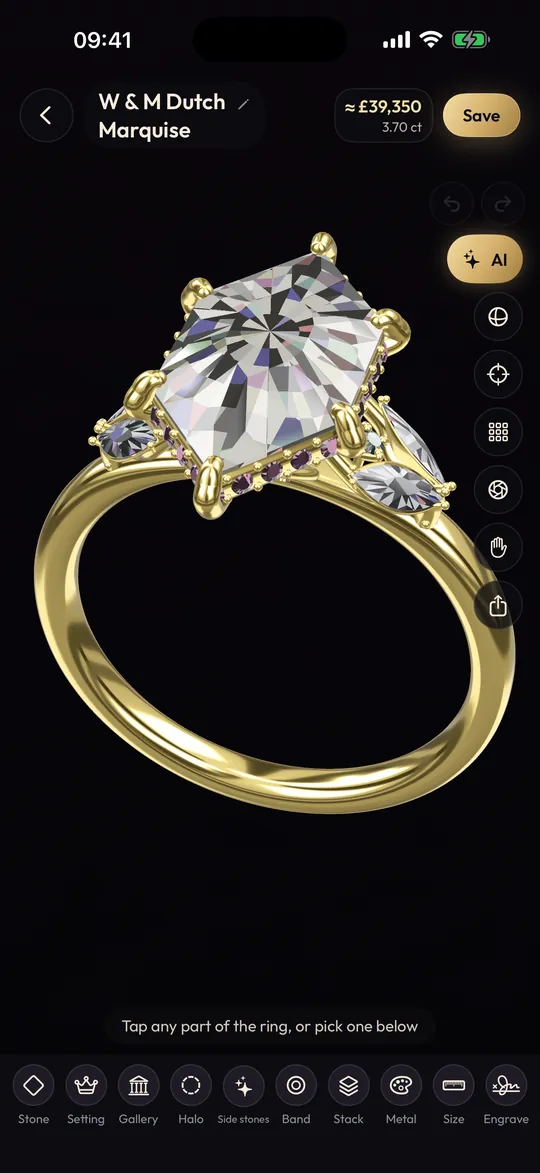
Designing a ring in Ring Studio, start to finish
- Stone: pick the shape, carat and orientation; choose diamond (natural, lab-grown, yellow or black), sapphire, emerald, ruby or morganite.
- Setting: 4, 5, 6 or 8 prongs, bezel, lotus or compass, with round, claw, double or petite tips.
- Halo and gallery: none, hidden or classic halo; open, rail, tulip or flame gallery.
- Side stones: three stone, pears, marquise, leaf V, baguettes, kites, or your own placement (Pro).
- Band: plain, pavé, eternity, knife edge, twisted, bypass, asymmetric or engraved; straight or tapered; width.
- Metal: yellow, white or rose gold, platinum or two-tone.
- Personal touches: engraving inside the band; hidden initials (Pro).
Free and paid features at a glance
| Free | Ring Studio Pro |
|---|---|
| Core 3D designer | Unlimited AI design from text, photos and video |
| 12 stone shapes | All 28 shapes |
| Main settings and bands | All halos, lotus and compass settings, flame gallery |
| All metals except two-tone | Two-tone metal |
| 3 AI text tries | Hand scan, try-on, band stacks, hidden initials, ring codes |
Pro pricing varies by country and is shown in the app before you subscribe. See the free ring designer page for the full breakdown.
Jewelry design app, online ring builder or CAD?
People searching for a jewelry design app usually want one of three different things. It helps to know which before you download anything.
| Tool | What it's for | Learning curve | Result |
|---|---|---|---|
| Ring design app (Ring Studio) | Deciding what ring you want and showing it to others | Minutes | 3D design, screenshots, ring codes |
| Retailer's online ring builder | Combining one store's settings with its loose stones | Minutes | A product you can buy from that store |
| Jewelry CAD software | Producing a precise model for 3D printing and casting | Weeks to months | STL or 3DM manufacturing files |
Most custom rings involve two of them: the client designs in an app or builder, and the jeweler builds the CAD. We compare the first two in Ring Studio vs online ring builders. If you're learning the vocabulary as you go, the parts of a ring guide is a good companion, and ring stacking ideas is a fun place to look for inspiration.
What it doesn't do
- No manufacturing export (STL/3DM). A jeweler rebuilds the design in CAD; see Ring Studio vs jewelry CAD software.
- No karat selection. Choose 10k, 14k or 18k with your jeweler; our 10k vs 14k gold comparison helps.
- No moissanite option; design the look with a colorless diamond.
- No dedicated tension, cathedral, split shank or cluster options yet, and no men's profiles such as comfort fit.
Shopping in the US? Our guide to engagement rings in the US covers sizes, prices and traditions.
Frequently asked questions
Is there an app to design your own jewelry?
Yes, though most focus on one type of piece. Ring Studio is a jewelry (jewellery) design app specifically for engagement rings and wedding bands, on iPhone, iPad and Android.
Can I design necklaces or earrings in Ring Studio?
No. Ring Studio designs rings only: engagement rings, wedding bands and stacks. Focusing on rings lets it offer detailed options for stones, settings, galleries and bands.
Can a jewelry design app replace CAD?
Not for manufacturing. Ring Studio is for designing and visualizing; it doesn't export STL files. Jewelers rebuild the design in professional CAD to cast it.
Is Ring Studio useful for jewelers?
It can be a useful consultation tool: a client can build a ring with them, or arrive with a design and a ring code that opens the exact model in the app.
Does Ring Studio sell jewelry?
No. It's a design tool. You take your design to a jeweler of your choice.