 Ring Studio
Ring designer
Wedding Ring Designer
Ring Studio's wedding ring designer lets you design a band on its own or next to your engagement ring, so you can see whether the two will sit flush before anything is made. Choose the style, width and metal, then shape it straight, curved or chevron.
On this page
- Design a band
- On its own, or stacked with your engagement ring (Pro)
- Band styles
- Plain, pavé, eternity, knife edge, twisted, bypass, asymmetric, engraved
- Contour
- Straight, curved or chevron (curve with Pro)
- Position
- Above or below the engagement ring
- Metals
- Yellow, white, rose gold, platinum, two-tone
The one problem a wedding ring designer should solve: fit
Most wedding band regrets aren't about style. They're about the gap: you buy a pretty band, put it next to your engagement ring and find a sliver of space between them because the engagement ring's setting dips down into the band's path. Halos, low bezels, pear and marquise points and wide galleries are the usual culprits.
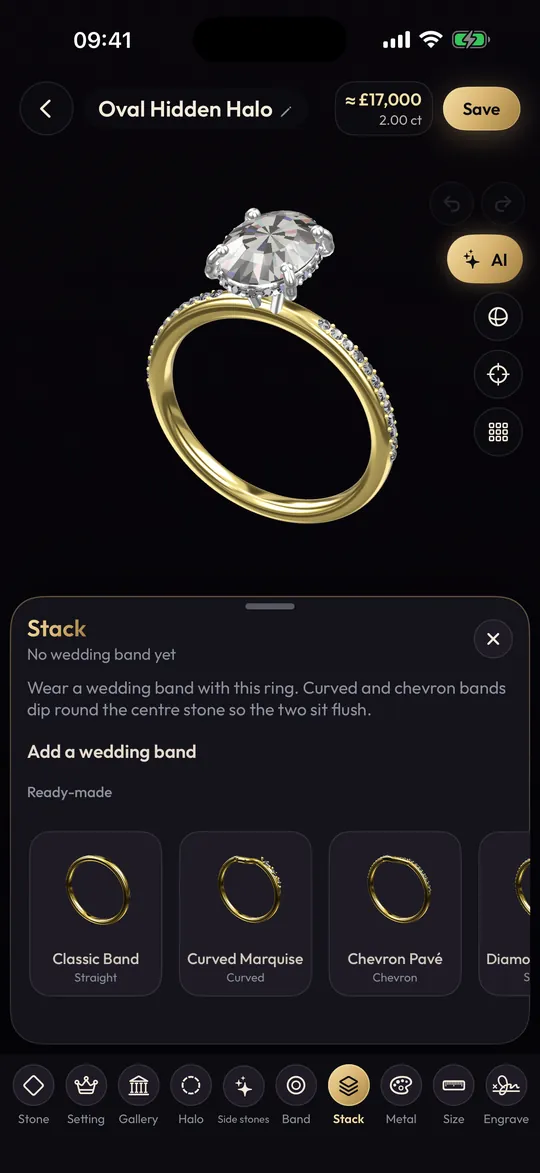
That's why Ring Studio lets you design the band next to the engagement ring rather than in isolation. You can see straight away whether a straight band clears the setting, and if it doesn't, curve it.
Straight, curved or chevron: which band shape do you need?
| Band contour | Works best with | Look |
|---|---|---|
| Straight | Rings with a high setting or cathedral-style lift, solitaires where the gallery sits above the band | Classic, clean, sits flush only if nothing hangs low |
| Curved / contour | Halos, ovals, cushions, rounds, low bezels | A soft arc that hugs the stone |
| Chevron | Pears, marquise, Dutch marquise, kite and other pointed shapes | A V-shape that echoes the stone's point |
For more on each, see curved and contour bands and chevron wedding bands.
How to design a wedding ring in Ring Studio
A band on its own
- Start a new design and choose a band rather than an engagement ring.
- Pick the band style: plain, pavé, eternity, knife edge, twisted, bypass, asymmetric or engraved vintage.
- Choose straight or tapered and set the width. The ring width guide helps with millimetres.
- Choose the metal and add an engraving inside the band if you want one; our list of engraving ideas may help.
A band matched to your engagement ring (Pro)
- Open your engagement ring design, or build it first. If it's a ring you already own, you can recreate it by describing it or from a photo.
- Add a wedding band to the stack and choose whether it sits above or below.
- Rotate to the side view and look at the gap. If the setting blocks the band, switch the contour to curved or chevron until it sits flush.
- Match or contrast the metal. A white band beside a yellow ring is a deliberate two-metal look; matching metals read as a set.
- Try a second band on the other side if you're planning a stack. Our wedding band stack designer page goes deeper into stacking.
Choosing a band style alongside your engagement ring
A few rules of thumb that work well in 3D:
- Match the widths of the engagement ring band and wedding band for a tidy pair. A wider wedding band can look heavy next to a delicate solitaire.
- Pavé next to pavé creates a continuous line of sparkle. A plain band next to a pavé ring gives the eye a rest. See pavé vs plain band.
- Eternity bands look spectacular but are hard to resize, so get the size right first.
- Knife edge or twisted bands add texture to a simple solitaire without adding stones.
The full list of options, with pros and cons of each, is in our guide to wedding band styles.
Which metal for a wedding ring?
If you'll wear the band with an engagement ring every day, matching metals usually wear most evenly. If you're choosing between white metals, our platinum vs white gold comparison explains the difference in upkeep, and white vs yellow gold helps with colour. In Ring Studio, flip the band's metal with the engagement ring beside it to see the pair together.
What it can't do yet
Ring Studio covers the band styles above, but it doesn't yet have dedicated options for men's band profiles such as comfort fit, D-shape or flat court, or for alternative metals like tungsten, titanium or palladium. If those matter to you, design the look and width in the app and specify the profile and metal with your jeweller. Our men's wedding ring designer page covers that in detail.
Getting the wedding ring made
Take your engagement ring to the jeweller along with the design. A contoured band is made to fit a specific ring, so the jeweller will often want the ring in hand to match the curve exactly. Bring screenshots of the stack from above and from the side, or a ring code (Pro). Ask about metal karat, since the app sets the colour but not karat, and about resizing. Budget guidance is in how much wedding rings cost.
Frequently asked questions
Should the wedding ring match the engagement ring?
It doesn't have to. Many people match the metal so the pair looks like a set, but contrasting metals and mismatched stacks are popular too. What matters most is that the two sit comfortably together.
Why won't my wedding band sit flush with my engagement ring?
Usually because the engagement ring's setting, halo or gallery sits low enough to hit a straight band. A curved, contour or chevron band, or a higher setting, solves it.
What width should a wedding band be?
Many women's bands are around 2-3 mm and many men's 4-6 mm, but it's personal. Matching the engagement ring's band width usually looks neatest in a stack.
Can I design a wedding band without an engagement ring?
Yes. In Ring Studio you can design a band on its own, which suits men's bands, matching couple's bands or anyone who isn't wearing an engagement ring.
Is stacking a wedding band free in Ring Studio?
Designing a band is part of the free designer. Stacking it with your engagement ring and curving it to fit are part of Ring Studio Pro.