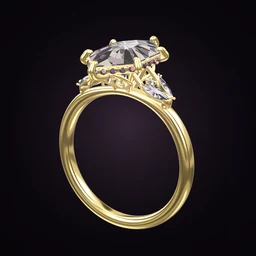
 Ring Studio
Ring designer
Free Ring Designer: What's Free and What's Pro
Ring Studio is a free ring designer: you can download it and design complete engagement rings and wedding bands in 3D without paying. Ring Studio Pro is an optional subscription that unlocks the AI, try-on and advanced options. This page lists exactly which is which.
On this page
- Download
- Free on the App Store and Google Play
- Free
- Core 3D designer, 12 shapes, main settings and bands, all metals except two-tone, 3 AI text tries
- Pro (UK)
- £4.99 a month with a 3-day free trial, or £24.99 a year
- Other countries
- Local prices vary; shown in the app
What you can design with the free ring designer
The free version is a complete ring designer, not a demo. You can build an engagement ring or wedding band from start to finish, rotate and zoom it in real-time 3D, and save it. Specifically, free includes:
- The core 3D designer: build and edit the ring part by part.
- 12 stone shapes: round, oval, cushion, princess, pear, marquise, heart, emerald, asscher, baguette, tapered baguette and octagon. These cover the shapes most engagement rings use.
- The main settings and bands.
- All metals except two-tone: yellow gold, white gold, rose gold and platinum.
- 3 AI text tries: describe a ring in words and watch it built in 3D.
That's enough to design a classic solitaire, a three stone ring or a plain or pavé wedding band, and take it to a jeweller as screenshots.
What you can design with the 12 free shapes
The free shapes cover nearly every classic look. A few pairings that work well without Pro:
- Round or oval solitaire on a plain band: the most worn engagement rings of all. See round and oval guides.
- Emerald or asscher cut with baguette side stones for a step-cut, art deco look.
- Pear or marquise on a thin band, set north-south or east-west.
- Princess or cushion with a pavé band for extra sparkle.
Free vs Pro: the complete comparison
| Feature | Free | Pro |
|---|---|---|
| 3D ring designer | Yes | Yes |
| Stone shapes | 12 | All 28 |
| AI design from text | 3 tries | Unlimited |
| AI design from photo or video | No | Yes |
| Metals | Yellow, white, rose gold, platinum | Adds two-tone |
| Settings | Main settings | Adds lotus and compass |
| Halos | No halo (solitaire look) | Hidden halo and classic halo |
| Galleries | Open, rail, tulip | Adds flame gallery |
| Side stones | Main side stones | Adds marquise and leaf side stones, and placing your own stones anywhere |
| Wedding band stacks | No | Yes, with band curve to sit flush |
| Hidden initials | No | Yes |
| Hand scan for ring size | No | Yes |
| Live and 3D-hand try-on | No | Yes |
| Share and import ring codes | No | Yes |
The 16 shapes that need Pro
Elongated cushion, radiant, Dutch marquise, trillion, kite, shield, lozenge, moval, half moon, bullet, hexagon, trapezoid, epaulette, old mine, old European and rose cut. If your heart is set on a radiant or an elongated cushion, you'll need Pro, or you can design with the nearest free shape (emerald or cushion) and tell your jeweller.
How to design a ring entirely for free
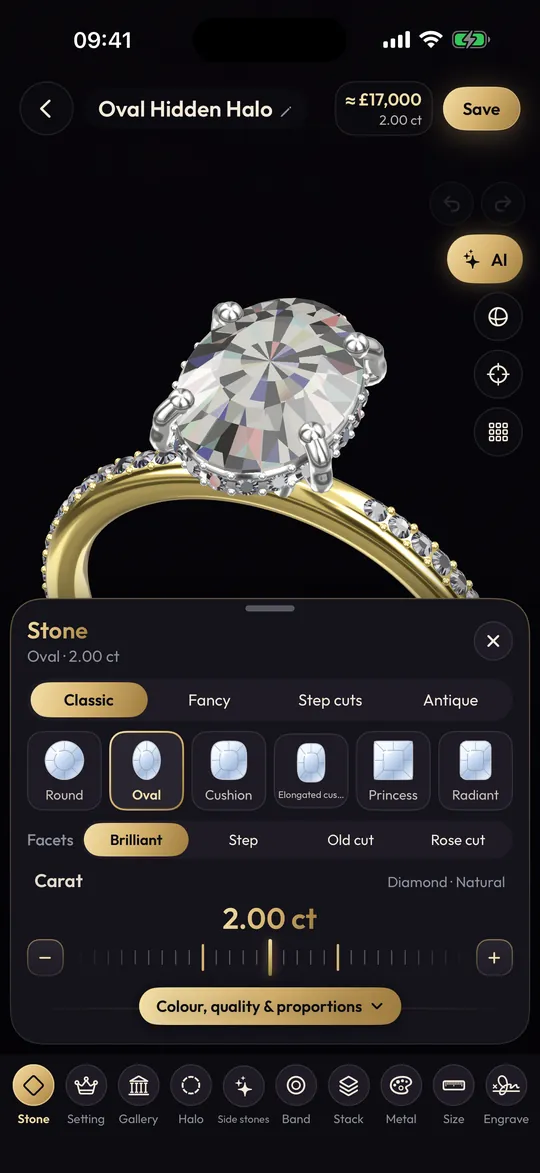
- Download Ring Studio and open the 3D designer.
- Pick one of the 12 free shapes and set the carat.
- Choose a prong or bezel setting and a band style.
- Pick yellow, white or rose gold or platinum.
- If you want a head start, spend one of your 3 AI text tries describing the ring, then edit the result by hand.
- Take screenshots from the top and side to share or show a jeweller.
When Pro is worth it, and when it isn't
Pro makes sense if you want any of these:
- Unlimited AI, especially recreating a ring from a photo. See AI ring designer.
- Trying the ring on your own hand and estimating size from a hand scan. See virtual ring try-on.
- Matching a wedding band to your engagement ring. See wedding band stack designer.
- Hidden initials under the stone. See hidden initials ring.
- Sending a ring code so a partner or jeweller opens the exact design.
- Less common shapes, two-tone metal, lotus or compass settings.
Pro probably isn't necessary if you want a classic shape in a single metal and you're happy to share screenshots. Many people design for free, then take a month of Pro (or the 3-day trial) during the few weeks they're finalising a ring and briefing a jeweller.
Prices here are UK prices as of late 2026. Local prices vary by country and currency and are always shown in the app before you subscribe. Subscriptions renew automatically until cancelled in your App Store or Google Play settings.
What neither version does
Free or Pro, Ring Studio is a design and visualisation tool. It doesn't make or sell rings, doesn't export STL files for 3D printing, and doesn't set metal karat or grade stones. A jeweller makes the ring from your design; see how custom rings are made.
Frequently asked questions
Is Ring Studio really free?
Yes. It's free to download on iPhone, iPad and Android, and the core 3D designer, 12 stone shapes, the main settings and bands, all metals except two-tone and 3 AI text tries are free.
How much is Ring Studio Pro?
In the UK, £4.99 a month with a 3-day free trial, or £24.99 a year. Prices in other countries vary and are shown in the app before you subscribe.
Which stone shapes are free?
Round, oval, cushion, princess, pear, marquise, heart, emerald, asscher, baguette, tapered baguette and octagon. The other 16 shapes, such as radiant, elongated cushion and moval, need Pro.
Can I try the AI for free?
Yes, you get 3 free AI text tries: describe a ring and the AI builds it in 3D. Unlimited AI, including designing from photos and video, is part of Pro.
Can I share my design with a jeweller on the free version?
You can take screenshots of any design and send them. Sharing and importing ring codes, which open the exact design in the app, is a Pro feature.
How do I cancel Ring Studio Pro?
Subscriptions are managed through your App Store or Google Play account settings, where you can cancel at any time before renewal.
Keep reading
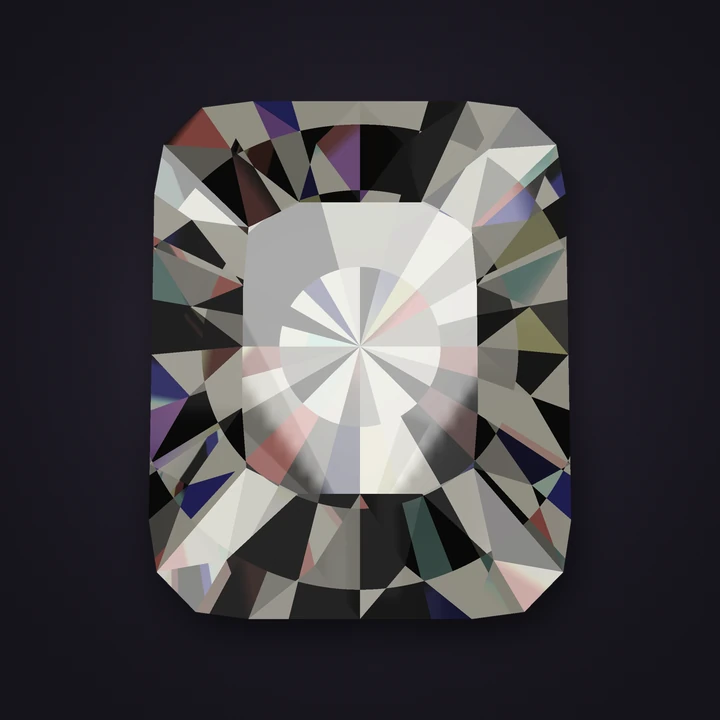 Stone shapesRadiant Cut Engagement RingsRadiant engagement ring guide: square vs rectangular ratios, carat-to-mm sizes, depth and colour tips, best settings, ba…