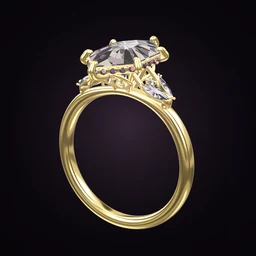
 Ring Studio
Ring designer
Virtual Ring Try-On
Ring Studio's virtual ring try-on puts the ring you designed on your own hand, live through your phone camera, or on a 3D hand you can turn. A hand scan, using a bank card for scale, gives you an estimate of your ring size.
On this page
- Live try-on
- Your ring on your hand through the camera
- 3D hand
- Turn a virtual hand to see the ring from any angle
- Size estimate
- Hand scan with a bank card for scale
- Plan
- Ring Studio Pro
Why try a ring on before it exists
A ring that looks perfect on a screen can surprise you on a finger. A 2 carat stone on a slim size H finger covers far more of it than on a size P; a 3 mm band that looked dainty in a close-up can feel substantial. Shapes behave differently too: elongated stones such as ovals, pears and marquise lengthen the finger, while wide east-west settings broaden it. Our guide to the best ring for your hand shape goes into this.
Virtual try-on lets you test those things on the design you're actually considering, rather than on a stock ring in a shop that's only roughly similar.
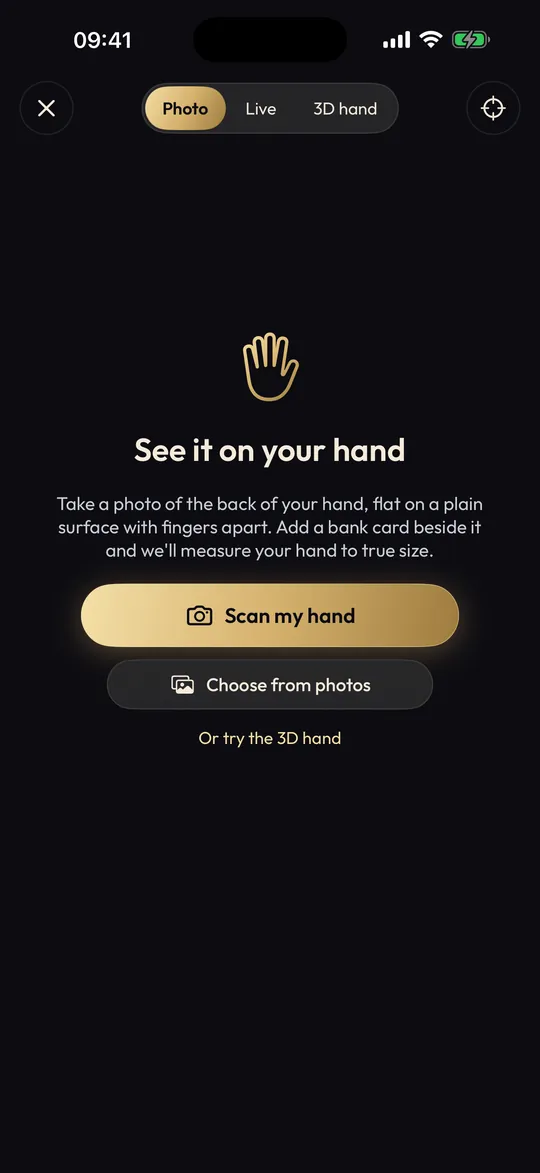
Three ways to try a ring on in Ring Studio
| Mode | What you see | Best for |
|---|---|---|
| Live camera try-on | Your design on your real hand, moving as you move | Judging stone size and band width on you |
| 3D hand | The ring on a virtual hand you can rotate | Seeing it from angles that are awkward with a camera, or trying on without your own hand |
| Hand scan | An estimate of your ring size | A starting point for sizing before you visit a jeweller |
How to scan your hand for ring size
- Find a standard-size bank or ID card. Bank cards share a standard size, which gives the app a reference. You can cover the numbers; only the outline is needed.
- Lay your hand flat on a plain, contrasting surface with the card beside it, on the same level.
- Hold the phone directly above, parallel to the surface, with even light and no strong shadows.
- Follow the prompts in Ring Studio to capture the scan and read your estimated size.
- Note it, and compare it with the conversions in our ring size chart if your jeweller uses a different system.
Fingers swell when you're warm and shrink when you're cold, and knuckles can be wider than the base of the finger. Treat any phone-based estimate as a guide and confirm with a jeweller's sizer or our guide to measuring ring size at home, especially for eternity bands, which are hard to resize.
How to try your design on with the camera
- Design the ring in the 3D designer, by AI, or from a photo.
- Open try-on and point the camera at your hand.
- Move your hand slowly and look at the ring from above and from the side.
- Go back to the designer, change one thing (carat, band width, halo), and try it again.
- Try your wedding band stack on too, if you've designed one.
What to look for when you try it on
- Coverage. How much of the finger's width does the stone cover? Compare with our carat size chart or the carat size visualiser.
- Band width. Does the band look balanced against the stone? See the ring width guide.
- Metal against your skin. Many people find yellow and rose gold flatter warmer skin tones and white metals cooler ones, but it's personal. Try them all.
- Height. On the 3D hand, look from the side. A high setting catches more light but snags more easily.
Comparing carat sizes on your own hand
One of the most useful try-on exercises is simple: keep the design the same and change only the carat. Try 0.75, 1.0 and 1.5 carat in turn on your hand. Many people find the jump that matters to them is smaller than they expected, which can save a lot of money. Our carat size visualiser shows the same idea on screen.
Limits of virtual try-on
Try-on shows the ring at the size you've designed, on your hand, in your lighting. It can't show how a real diamond's sparkle changes as you move through a room, the weight of the ring, or how it feels between your fingers. Phone cameras also distort slightly near the edges of the frame, so keep your hand near the centre. Use try-on to narrow down the design, then see a similar real ring in a shop if you can before the final decision.
Trying on a ring for a surprise proposal
You can try the design on your own hand as a stand-in, but bear in mind the difference in finger size. If your partner's size is, say, a UK J and yours is an R, the same stone will look noticeably larger on them. Our page on finding their ring size secretly helps, and average ring sizes gives context.
Frequently asked questions
How accurate is virtual ring try-on?
It's good for judging proportions: how big the stone looks on your finger, whether a band looks too wide. It's not a substitute for wearing the real ring, and lighting, camera angle and hand position all affect the result.
Can my phone measure my ring size?
Ring Studio's hand scan estimates ring size from a photo of your hand with a standard bank card beside it for scale. Treat it as an estimate and confirm with a jeweller's ring sizer before ordering.
Why use a bank card when scanning?
Bank cards are made to a standard size, so the app can use it as a known reference to work out the real size of your finger. Cover the card number if you like; only its outline matters.
Can I try on a ring for someone else?
You can try it on your own hand as a stand-in, or use the 3D hand. Bear in mind that finger size and shape change how a ring looks.
Is virtual try-on free?
Hand scan and try-on are part of Ring Studio Pro. The core 3D designer is free.