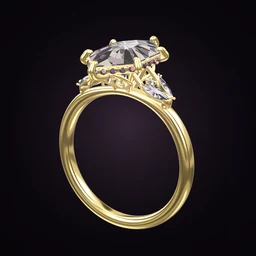
 Ring Studio
Ring designer
Ring Builder App: Build a Ring Part by Part
Ring Studio is a ring builder app that lets you assemble a ring one decision at a time (stone, setting, halo, gallery, band, metal) without being limited to one retailer's catalogue. You finish with a 3D design you can take to any jeweller.
On this page
- Build steps
- Stone, setting, halo, gallery, side stones, band, metal
- Tied to a shop?
- No. Take the design to any jeweller
- Preview
- Live 3D after every choice
- Cost
- Free to start; Pro unlocks the advanced parts
How Ring Studio differs from a jeweller's online ring builder
Many jewellery websites have a "build your own ring" tool. It usually works in two steps: pick a setting from their range, then pick a loose stone from their inventory. That's useful if you've already decided to buy from that shop, but it limits you to the combinations they stock.
Ring Studio works the other way round. It isn't a shop, so it has no stock to steer you towards. You build the ring from its parts, see it in 3D, and then decide who makes it. We compare the two approaches in more depth in Ring Studio vs online ring builders.
| Typical retailer ring builder | Ring Studio | |
|---|---|---|
| What you choose from | That retailer's settings and stones | Parts of a ring: shape, setting, halo, gallery, band, metal |
| Viewing | Photos or a render, varies by site | Real-time 3D you can rotate and zoom |
| Real stone grading | Yes, you pick an actual certified stone | No, you design the look; the jeweller sources the stone |
| Price | Real price for that item | Live estimate for comparison, not a quote |
| Where it's made | That retailer | Any jeweller you choose |
Neither is better in every case. If you want to compare real certified stones, a retailer's builder does that. If you want to work out what ring you want first, or you want something that isn't in anyone's range, build it in Ring Studio and then shop around.
The build, step by step, and what to decide at each one
1. Centre stone
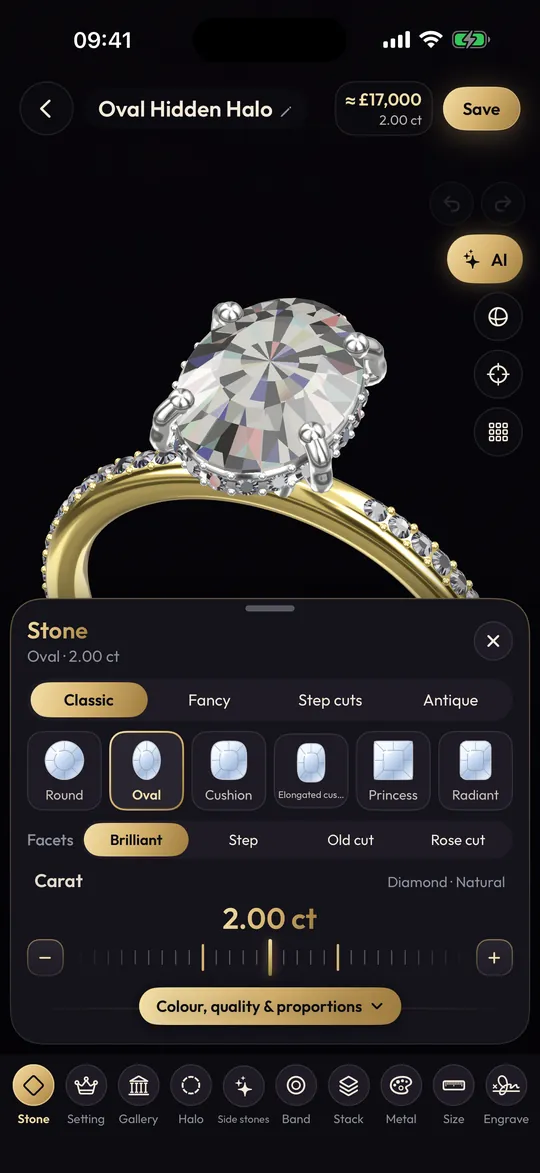
Choose the shape first; it shapes every later decision. Round, oval, cushion, princess, pear, marquise, heart, emerald, asscher, baguette, tapered baguette and octagon are free. Pro adds the rest of the 28, including elongated cushion, radiant, Dutch marquise, moval, kite, hexagon and old mine. Set the carat and decide north-south or east-west. Then pick the stone: natural or lab-grown diamond, a yellow or black diamond, sapphire, emerald, ruby or morganite.
2. Setting and prongs
Choose 4, 5, 6 or 8 prongs, a bezel, or the lotus or compass settings (Pro). Then the prong tip: round, claw, double or petite. Four prongs show more stone; six hold it more securely. Our 4 prong vs 6 prong and bezel vs prong comparisons help here.
3. Halo
None, hidden halo or classic halo. A classic halo makes the centre look bigger face-up; a hidden halo sits under the stone and only shows from the side.
4. Gallery
Open, rail, tulip or flame (Pro). This is the architecture under the stone, visible from the side. Rotate the ring to judge it.
5. Side stones
Leave it as a solitaire or add three stone, pears, baguettes or kites; marquise and leaf V side stones, and placing your own stones anywhere on the ring, are Pro.
6. Band
Plain, pavé, eternity, knife edge, twisted, bypass, asymmetric or engraved vintage; straight or tapered; set the width. For width guidance see the ring width guide.
7. Metal
Yellow, white or rose gold, platinum, or two-tone (Pro). Watch how the metal changes the stone's colour.
Builder mistakes worth avoiding
- Building the band last as an afterthought. A very thin band under a large stone can look top-heavy, and a wide band can make a modest stone look small. Adjust the width with the stone in view.
- Stacking every option at once. Halo, pavé band, side stones and a decorative gallery can compete. Try removing one element at a time to see what the ring actually needs.
- Forgetting the wedding band. A low bezel or a halo can stop a straight band sitting flush. With Pro you can stack a band against your design and curve it to fit.
- Treating the estimate as a quote. The live price shows how stone, carat and metal shift the cost; real prices depend on the exact stone and the jeweller.
Who a ring builder app suits
It suits anyone who wants to understand ring design before talking to a seller: first-time buyers learning the parts, couples comparing ideas, and people who have something specific in mind that shops don't stock. If you'd rather start from inspiration than parts, try our ring style quiz.
When the build is done
Save the design, take screenshots from the top and side, and note the options you chose. If your jeweller uses Ring Studio, a ring code (Pro) opens the exact design on their device. Then ask for a CAD render before anything is cast. The guide to working with a jeweller covers questions to ask, and custom vs off-the-shelf helps you decide whether to commission or buy a close existing ring.
Ring Studio doesn't yet have dedicated options for tension, cathedral or split shank settings. If your ideal ring uses one, build the nearest version and tell your jeweller what to change.
Frequently asked questions
What is a ring builder?
A ring builder is a tool that lets you assemble a ring from parts, usually a centre stone and a setting, and see the combined result. Most are on jewellers' websites and use that shop's own stock; Ring Studio is an independent app for designing the ring itself.
What order should I build a ring in?
Start with the centre stone shape and size, because it decides which settings and proportions work. Then choose the setting, halo and gallery, then the band and finally the metal.
Can I buy the ring I build in Ring Studio?
Not from the app. Ring Studio is a design tool and doesn't make or sell rings. You take the design to a jeweller of your choice, who quotes for making it.
Is the Ring Studio ring builder free?
It's free to download, and the core builder with 12 stone shapes, the main settings and bands and all metals except two-tone is free. Pro unlocks all 28 shapes, all halos, lotus and compass settings, the flame gallery and other advanced options.
Can I build a wedding band as well as an engagement ring?
Yes. You can design a band on its own, and with Pro stack it with your engagement ring and shape it to sit flush.