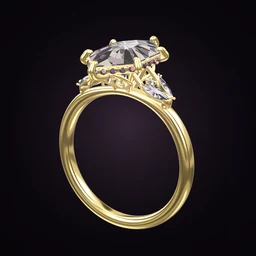
 Ring Studio
Ring Designer for Jewellers
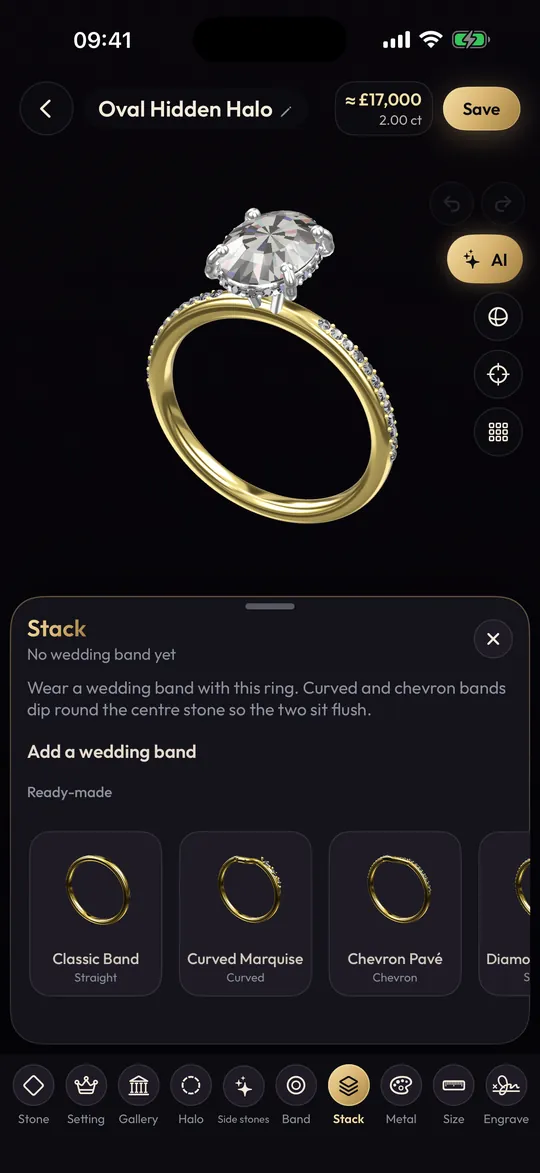
Ring Studio isn't ring design software for jewelers to manufacture with; it's a consultation tool. Clients design in 3D on their phones and send you a ring code that opens the exact design, or build the ring with you at the counter. You then model it in your own CAD.
On this page
- Role
- Client-facing design and consultation tool
- Receive designs
- Ring codes open the client's exact design (Pro)
- Devices
- iPhone, iPad, Android
- Manufacturing
- Not included: no STL/3DM export; model in your own CAD
The consultation problem Ring Studio solves
Any jeweller who does custom work knows the first meeting. The client has a folder of screenshots, each from a different ring, and wants "this stone with that band, but more delicate, and something special underneath". You sketch, interpret, model, render, and the first render is often "not quite". Every round costs CAD hours you may or may not be able to charge for.
Ring Studio gives clients a way to resolve most of that before they reach you, using real ring vocabulary: stone shape and carat, prong count and tip, halo, gallery, side stones, band style and width, metal. What arrives is a coherent design rather than a collage.
Two ways jewellers use it
1. Receiving client designs
The client designs at home, often after trying the ring on their own hand with the camera, then sends you a ring code. You import it and the exact design opens in Ring Studio on your device, ready to rotate and inspect. Sharing and importing codes is a Pro feature for both sides; clients on the free version can send screenshots instead.
2. Designing with the client
On an iPad at the counter, build the ring together. Change the stone shape, swap prongs for a bezel, stack a wedding band and curve it to fit, toggle metals, all in seconds with the client watching. It turns an abstract conversation into decisions they can see, and the design can be saved for the next appointment.
Workflow: from client design to your CAD
- Receive the design by ring code or screenshots.
- Review it with the client. Rotate to the side view together and confirm the gallery, setting height and band profile.
- Translate to specification. Add what the app doesn't capture: metal karat, stone measurements and grade, finger size, band profile (court, D-shape, comfort fit), finish.
- Flag anything not makeable as drawn, such as a very large stone on a very thin band, and adjust it in the app with them.
- Model in your CAD (Rhino with MatrixGold or whatever you use), using the 3D design as reference.
- Send your render for approval, then proceed as normal.
What clients can design, so you know what to expect
| Area | Options in Ring Studio |
|---|---|
| Stone shapes | 28, including old mine, old European, rose cut, moval, kite, shield, half moon, epaulette |
| Stones | Natural and lab-grown diamond, yellow and black diamond, blue and pink sapphire, emerald, ruby, morganite |
| Settings | 4, 5, 6, 8 prong; bezel; lotus; compass. Tips: round, claw, double, petite |
| Halo and gallery | None, hidden, classic halo; open, rail, tulip, flame gallery |
| Side stones | Three stone, pears, marquise, leaf V, baguettes, kites; freely placed stones |
| Bands | Plain, pavé, eternity, knife edge, twisted, bypass, asymmetric, engraved; straight or tapered; width; stacks with straight, curved or chevron contour |
| Personal | Hidden initials (8 lettering styles or hand-drawn) in gallery, shoulders or band side; inside engraving |
| Metal | Yellow, white, rose gold, platinum, two-tone; no karat |
Clients can't currently specify tension, cathedral, split shank, cluster or trellis designs, men's band profiles, or alternative metals, so expect those as notes alongside the design. Our ring design glossary is a handy link to send clients who are learning the terms.
Managing expectations
A few things worth saying to clients who arrive with a Ring Studio design:
- The price estimate isn't your quote. It responds to stone, carat and metal for comparison only.
- Proportions will be refined. Prong thickness, band depth and setting height get set properly in CAD for durability.
- Screen colour isn't stone colour. A sapphire or morganite on screen is a representation; show them real stones.
- Hand-scan sizes are estimates. Size them properly in the shop.
Remounts, redesigns and matching bands
Some of the most useful consultations aren't new rings at all. When a client brings an inherited ring, Ring Studio's AI can recreate it from a photo (Pro), and you can then explore a new setting for the old stone together. It's a quick way to show what a remount could look like before you quote. Our client-facing guide to redesigning an old ring covers the options.
Matching wedding bands are another. Recreate the client's engagement ring, stack a band against it and switch between straight, curved and chevron contours until it sits flush. Clients can see why a contoured band costs more than a stock straight one, and you get a clear brief. Point them to curved wedding bands for background.
Is it worth it for a small workshop?
That depends on how much custom work you do and how much time first consultations take. It costs a Pro subscription and a little learning, and it doesn't replace any of your existing tools. If clients are already arriving with designs from it, having it on your own device to open their codes is the main reason. For background on how it compares with your CAD, see Ring Studio vs jewellery CAD software and ring CAD designer. Clients reading about the process are pointed to how to work with a jeweller on a custom ring and CAD design fees.
Frequently asked questions
Can jewellers use Ring Studio instead of CAD?
No. Ring Studio doesn't export STL, 3DM or other manufacturing files. It's for agreeing the design with a client; you still build the production model in your usual CAD software.
How do I open a client's ring code?
Import the code in Ring Studio and the client's exact design opens in 3D, so you can rotate it and see every option they chose. Sharing and importing ring codes is part of Ring Studio Pro.
Is there a trade or business version?
Not at present. Jewellers use the same app as everyone else, with a Pro subscription for ring codes and the full set of options.
Will clients' price estimates undercut my quote?
The in-app figure is clearly an estimate for comparing options, not a quote. It's a useful moment to explain what it doesn't include: stone grade, karat, labour, finishing and aftercare.
Can I use Ring Studio on an iPad in my shop?
Yes. Ring Studio runs on iPad as well as iPhone and Android phones, and a tablet works well for designing with a client across the counter.