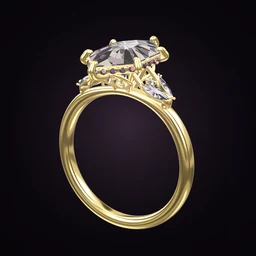
 Ring Studio
Ring designer
Ring Design App for iPhone and iPad
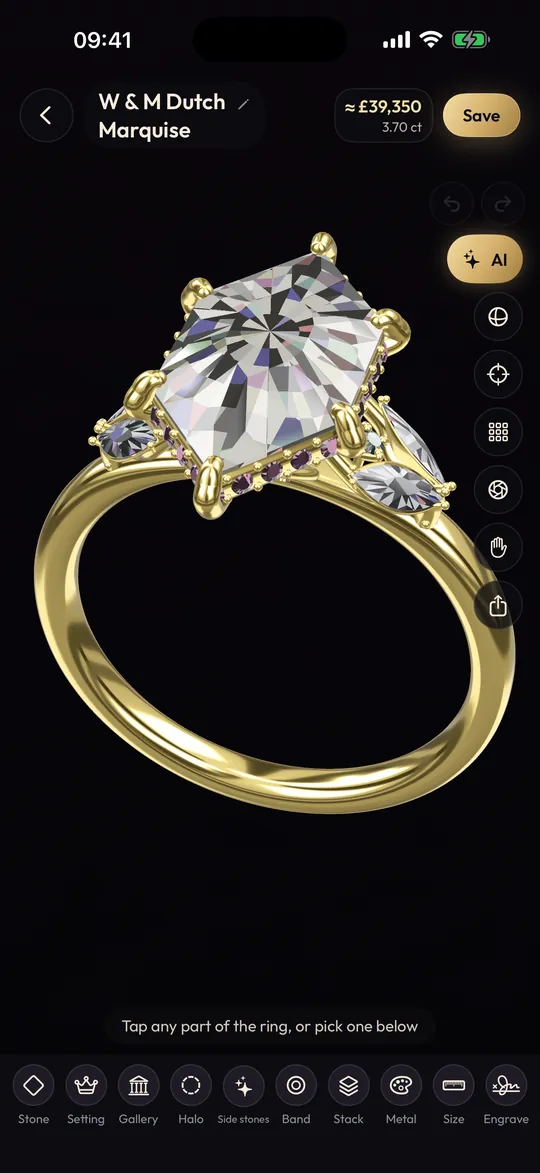
Ring Studio is a ring design app for iPhone and iPad, free on the App Store. Design engagement rings and wedding bands in 3D with your fingers, try them on through the iPhone camera, and use an iPad when you want a bigger canvas.
On this page
- Store
- App Store, for iPhone and iPad
- Price
- Free to download; Pro from £4.99 a month in the UK
- Uses the camera for
- Live try-on, hand scan, AI design from photos and video (Pro)
- Also on
- Android, via Google Play
Designing a ring with your fingers
A phone is a surprisingly natural place to design a ring. A ring is small and three-dimensional, and on a touch screen you hold it, turn it and zoom into it the way you would a real one in a jeweller's tray. In Ring Studio you drag to rotate, pinch to zoom and tap a part to change it, and every change appears straight away.
iPhone vs iPad: which to design on
| iPhone | iPad | |
|---|---|---|
| Best for | Designing anywhere, try-on, quick ideas | Detailed work, designing together, showing clients |
| Try-on with camera | Easy to hold over your hand | Works, but the larger device is less handy |
| Detail view | Zoom in to inspect prongs and galleries | More visible at once |
| Sharing | Messages, AirDrop, ring codes (Pro) | Same, plus easy to pass across a table |
A Pro subscription is tied to your Apple ID, so if you use an iPhone and an iPad with the same account, you can usually restore it on the second device.
How to design your first ring on iPhone
- Download Ring Studio from the App Store and open it.
- Pick a way to start: the 3D designer, an AI description, Surprise me or the style quiz.
- Choose a stone shape, carat and setting; spin the ring to check the side.
- Design the band and pick the metal.
- Take a screenshot (side button and volume up together on Face ID iPhones) from the top and side.
- With Pro, open try-on and hold the iPhone over your hand to see the ring on it.
Features that use the iPhone's camera
Three Pro features use the camera:
- Live try-on: see your design on your own hand as you move it. More on the virtual ring try-on page.
- Hand scan: photograph your hand next to a bank card to estimate ring size.
- Design from a photo or video: film a ring you own, or pick a saved photo, and the AI recreates it in 3D. See design a ring from a photo.
The first time you use these, iOS asks for permission to use the camera or photos. You can change it later in Settings.
Using the AI designer on iPhone
The AI designer suits a phone well. You can type a description, or tap the microphone on the iPhone keyboard and dictate it, which is handy for longer descriptions such as "a cushion cut sapphire with a hidden halo, six claw prongs and a thin rose gold band". Keep refining by talking to it: "make the band thinner", "switch to platinum". Three AI text tries are free, and Pro unlocks unlimited AI, including photos and video from your camera roll. Our AI ring designer page has tips on writing descriptions that work.
Not sure what to ask for? The style quiz in the app, or our online ring style quiz, will give you a starting point, and the cushion and pear shape guides are good for ideas.
Sharing designs from iPhone
Screenshots are the simplest way to share a design: send them to a partner, a friend or a jeweller in Messages or by email. They work on the free version. With Pro, a ring code lets someone open the exact design in Ring Studio to rotate and edit, which is far more useful for a jeweller than a flat image. If you're trying to let a partner know what you'd like, our guide on dropping a hint has ideas.
Free on iPhone, and what Pro adds
The free version includes the core 3D designer, 12 stone shapes, the main settings and bands, all metals except two-tone, and 3 AI text tries. Pro (in the UK, £4.99 a month with a 3-day free trial, or £24.99 a year; other countries vary) adds unlimited AI, try-on, stacks, all 28 shapes, hidden initials, ring codes and more. Payment is through your Apple ID, and you manage or cancel it in iPhone Settings under Subscriptions. Full details on the free ring designer page.
What the iPhone app doesn't do
It's a design tool. It doesn't make or sell rings, export STL files for 3D printing, or set metal karat. A jeweller recreates your design in CAD and makes it; see how custom rings are made. Ring Studio is also available on Android if your partner or jeweller uses a different phone.
Frequently asked questions
Is there a ring design app for iPhone?
Yes. Ring Studio: 3D Ring Designer is on the App Store for iPhone and iPad. It's free to download, with an optional Pro subscription.
Does Ring Studio work on iPad?
Yes. The larger screen makes detailed work, like checking the gallery or prong tips, easier and suits designing with a partner or showing a client.
How do I cancel a Ring Studio Pro subscription on iPhone?
Open the Settings app, tap your name, then Subscriptions, choose Ring Studio and cancel. You keep Pro until the end of the period you've paid for.
Can I share a ring design from my iPhone?
Yes. Take screenshots and send them by Messages, AirDrop or email, or with Pro share a ring code that opens the exact design in Ring Studio.
Is Ring Studio on the Mac?
Ring Studio is built for iPhone and iPad. It's also available for Android phones on Google Play.