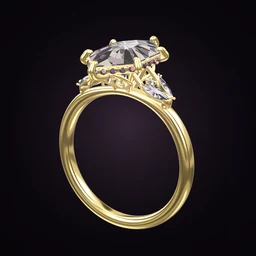
 Ring Studio
Ring designer
Ring Design App for Android
Ring Studio is a ring design app for Android, free on Google Play. It brings the 3D ring designer, AI design and try-on to Android, so you can design engagement rings and wedding bands on any compatible Android phone.
On this page
- Store
- Google Play
- Devices
- Android phones
- Price
- Free to download; optional Pro subscription billed through Google Play
- Compatibility
- Check the Play listing for your device
A full 3D ring designer on Android
Android users have often been second in line for design apps. Ring Studio on Android is the full 3D ring designer, not a cut-down web version: 28 stone shapes, prong, bezel, lotus and compass settings, halos, galleries, side stones, eight band styles and five metal choices. You rotate, zoom and edit every part in real time.
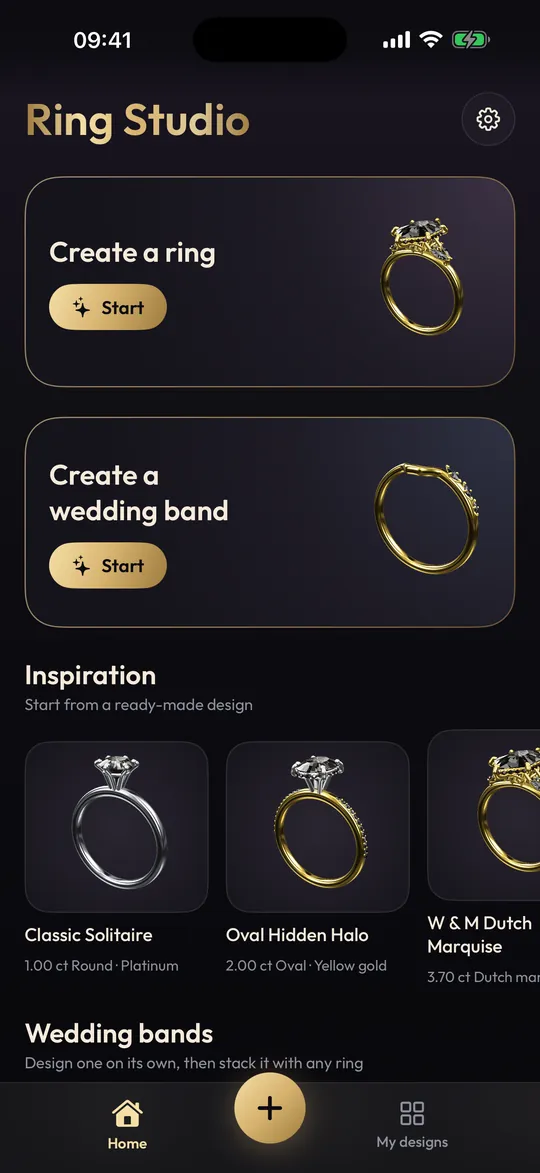
How to design a ring on your Android phone
- Install Ring Studio from Google Play and open it.
- Choose how to start: build it yourself, describe it to the AI (3 free text tries), or tap Surprise me.
- Pick the centre stone: shape, carat, north-south or east-west, and stone type.
- Choose the setting and prong tips, then the halo and gallery.
- Design the band (style, straight or tapered, width) and pick the metal.
- Rotate to check the top, side and end views. Save the design.
- Screenshot it (usually power and volume down together on most Android phones) to share.
Getting the best from it on Android
Android phones vary enormously, so a few practical tips:
- Close other heavy apps if 3D feels sluggish on an older phone; real-time 3D benefits from memory and graphics power.
- Use good light for camera features. Try-on, hand scan and photo design (all Pro) work best in even daylight, with no harsh shadows.
- Allow camera access when asked. You can change permissions later in your phone's settings under Apps.
- Keep the app updated from Google Play to get new options and fixes.
Five designs to try first on your phone
If you've just installed the app and want to see what it can do, these five builds show off different parts of the designer. Each uses free options unless marked.
- Oval solitaire, four claw prongs, thin yellow gold band. The most requested look of recent years; compare it with a round in our oval engagement rings guide.
- Emerald cut with baguette side stones in platinum. A clean, art deco feel. See emerald cut rings.
- Pear in rose gold on a twisted band. Turn the pear point up and down to see how much it changes.
- Cushion with a hidden halo (Pro) and pavé band. Rotate to the side to see the hidden sparkle; more in hidden halo rings.
- East-west marquise on a plain band. A modern twist on a vintage shape.
Camera features on Android
| Feature | What it does |
|---|---|
| Live try-on | Shows your design on your own hand through the camera |
| 3D hand | Shows the ring on a virtual hand you can rotate |
| Hand scan | Estimates your ring size using a bank card for scale |
| Photo or video design | The AI recreates a ring from a picture or clip |
All four are part of Ring Studio Pro. Treat the hand-scan size as an estimate and confirm with a jeweller; our ring size guide explains other methods. To compare stone sizes in millimetres, use the carat size chart.
Designing with a partner on two phones
Couples often design separately and then compare. Each of you builds a version on your own phone, then you swap screenshots, or ring codes with Pro, and merge the best ideas into one design. It's a low-pressure way to discover where your tastes overlap, and it works whether the other person uses Android or an iPhone, since screenshots open anywhere. When you agree, save that version as the one to take to a jeweller.
Pricing and billing on Google Play
Ring Studio is free to download, and the free version includes the core 3D designer, 12 stone shapes, the main settings and bands, all metals except two-tone and 3 AI text tries. Ring Studio Pro is billed through your Google account: in the UK it's £4.99 a month with a 3-day free trial or £24.99 a year, and Google Play shows your local price before you subscribe. Manage or cancel it in the Play Store under Payments and subscriptions. The full list of Pro features is on the free ring designer page.
Sharing designs across phones
Screenshots are universal: send them by WhatsApp, email or any messaging app to a partner, friend or jeweller, whatever phone they have. With Pro, a ring code opens the exact design in Ring Studio, so they can rotate it themselves. If your partner uses an iPhone, they'll find Ring Studio on the App Store; see ring design app for iPhone.
What it doesn't do
Like the iPhone version, it's a design and visualisation tool. It doesn't make or sell rings, there's no STL export, and some styles such as tension and split shank settings don't have dedicated options yet. Take your design to a jeweller, who recreates it in CAD. Our 3D ring designer page covers the full feature set and its limits.
Frequently asked questions
Is there a 3D ring designer for Android?
Yes. Ring Studio: 3D Ring Designer is available on Google Play for Android phones. It's free to download, with an optional Pro subscription.
Is the Android version the same as the iPhone version?
Ring Studio on Android has the 3D ring designer, AI design and try-on, with the same free and Pro split. Check the Google Play listing for compatibility with your phone.
How do I cancel Ring Studio Pro on Android?
Open the Google Play Store, tap your profile picture, go to Payments and subscriptions, then Subscriptions, select Ring Studio and cancel. Pro stays active until the end of the paid period.
Does Ring Studio work on Android tablets?
The Google Play listing shows which devices are supported. On a compatible device, a larger screen makes detailed design work easier.
Can I share a design with someone who has an iPhone?
Screenshots work with anyone. Ring codes, a Pro feature, let someone open the exact design in Ring Studio.